

Snosh 1.3
convert video, audio & images into Flash
Program info
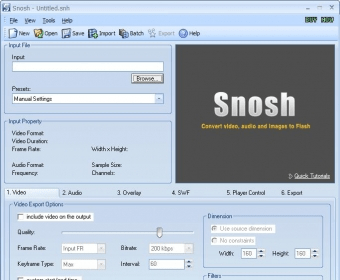
Snosh lets you convert your video, audio and images into Flash 8 (SWF/FLV), Flash MX (SWF/FLV), Flash Vector (SWF), HTML, MP3, WAV and Windows Projector Executables. With as simple as a few clicks, Snosh offers a simple and clean solution to convert video/audio/images files into Flash to play on the web complete with the player controls. Snosh allows user to specify the dimension, start/end time, compression quality, player control, overlay, audio settings, cropping, SWF events, and background color to the output Flash together with the HTML to display it.
The major supported formats are:
- Apple QuickTime Video (MOV/QT/MP4)
- MPEG Video (MPEG-1 and MPEG-2 Video, VCD and SVCD, PAL, and NTSC)
- Windows Media Video (WMV)
- 3GP Files (3GP)
- AVI Files (DivX, XviD, MS MPEG-4, Uncompressed, Cinepak and other)
- Active Streaming Files (ASF)
- Flash FLV (FLV)
- DV Video (DV)
- WAVE Audio (WAV)
- MPEG Audio (MP2/MP3/MPA)
- Windows Media Audio (WMA)
- Still Images (GIF/BMP/JPEG/PNG/TGA/TIF/PSD)
- Flash 8 (SWF/FLV)
- Flash MX (SWF/FLV)
- Flash 3+ (SWF)
- Flash Vector (SWF)
- HTML
- Windows Projector
Details
Extensions

No information available
The data will be available later.Awards


Related software

Play SWF files easily and fast with this free program.

Simple yet fully-featured DVD player.

It is an easy to use DVD player that have great picture and sound quality.
Related stories
See all
More and more people have to remotely work from home. Here are the best five video conferencing tools to make group video calls, share screens and optimize remote work.

In this article, we’ve compiled a list of the most popular Zoom alternatives for video calling and conferencing.
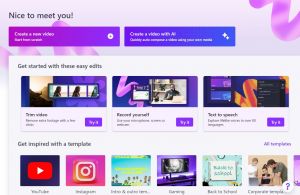
Looking for simple yet efficient (and free) video editing software? Let us give you Clipchamp.


Comments